RNS-E coding and adaptation
Click any picture on this page to enlarge |
||||
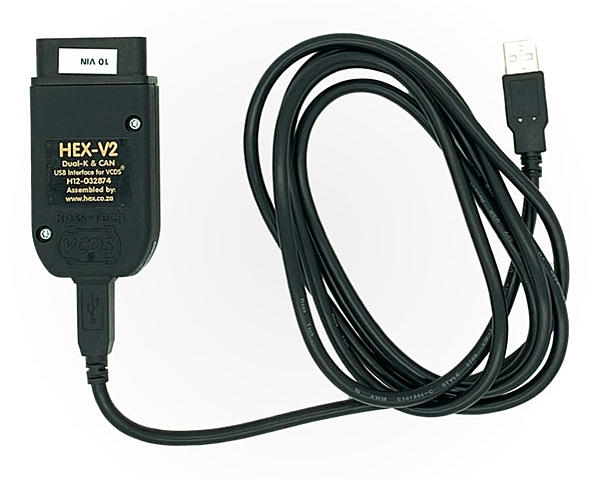
IntroductionTo make the RNS-E work properly, it must be soft coded to match your Audi's platform and installed options. This is done via VCDS (aka VAG-COM), which is a special cable to be connected between your computer and the car's OBDII diagnostic port. The VCDS software application, running on your computer with the Windows operating system, allows you to perform a myriad of tasks, including soft coding, adaptation, reading and clearing of DTC (diagnostic trouble code), and much, much more. VCDS is developed specifically for the VAG family of cars. Generic OBDII scanners won't work because they do not perform brand-specific functions.
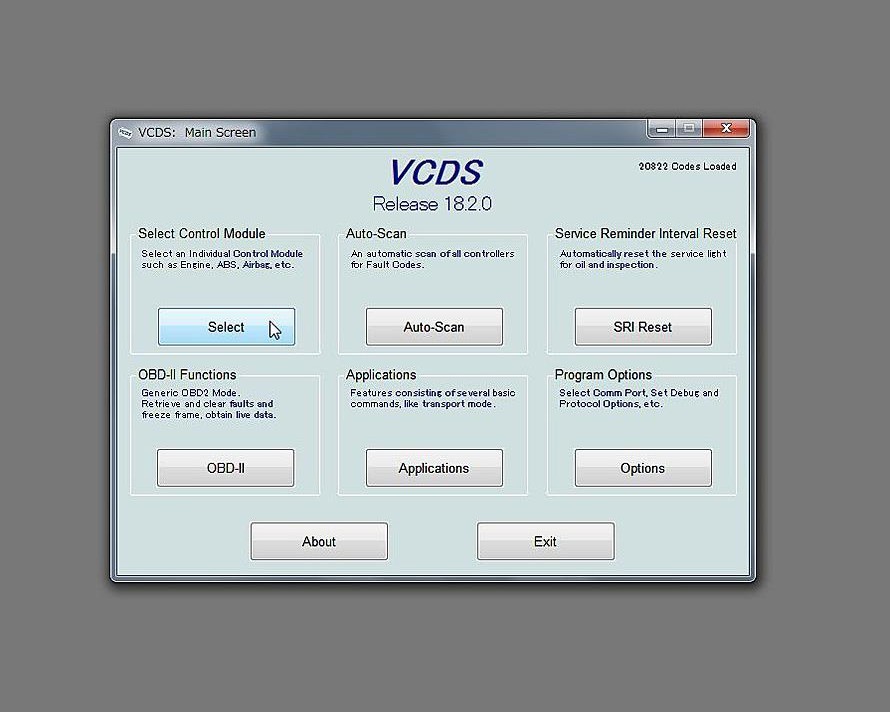
The first time you run VCDS, and each time the VCDS software is updated, you must first test the interface. Just follow the prompts on the screen. The rest of this document assumes that VCDS has been installed, connected, tested and is ready to use. Turn on your car's ignition to begin. Start the VCDS application, on the main VCDS window, under Select control module, click Select, then in the next window, click either 56-Radio or 37-Navigation to access the RNS-E. You will then be connected to the RNS-E's onboard controller. Soft CodingThe RNS-E's part number, description, current soft coding and workshop code is shown on the screen, along with other information. The soft code is 7 digits long, the first digit on the left is always 0. The settings for the remaining digits are described in the section below, as indicated by the question mark. You must set the coding appropriately for the car platform and its installed options. On the B5 (type 8D) Audi A4/S4/RS4 platform, use the A6 (4B) setting. B6 platform should be either A4 (8E) or A4 Cabriolet (8H).To change the coding, click Recode - 07, then enter the desired 7-digit code into the pop-up box. You can leave the workshop code and importer number untouched. When you are done, click Do it! to set the new code.
    0?xxxxx: Model
        1 = Lamborghini
        2 = Audi A3 (8P)
        3 = Audi A4 (8E)
        4 = Audi A4 Cabriolet (8H)
        5 = Audi A6 (4B)
        6 = Audi TT (8J)
        7 = Audi R8 (42)
    0x?xxxx: Treble Speaker Diagnosis / Optical Parking Aid
	 0 = Front Treble Speaker Diagnosis active (not Audi A4 Cabriolet)
        +1 = Front Treble Speaker Diagnosis inactive (only Audi A4 Cabriolet)
        +2 = Optical Parking Aid installed/active
    0xx?xxx: Sound Characteristic
        0 = Sound Characteristic linear
        1 = Audi A4 (8E)
        2 = Audi A6 (4B)
        3 = Audi A4 Cabriolet (8H)
        4 = Audi TT (8J)
        5 = Audi A3 (8P)
        9 = Bose Sound System
    0xxx?xx: Telephone Preparation
        1 = Telephone Preparation NOT installed
        2 = Telephone Preparation without Comfort Functionality
        3 = Telephone Preparation (Aftermarket Retrofit)
        4 = Base Plate (Nokia - Remote Feed Voltage for Microphone inactive)
        5 = Telematic Europa (Remote Feed Voltage for Microphone inactive)
        6 = Telephone Preparation for North American Region (NAR)
        7 = Telephone Preparation with Comfort Functionality
    0xxxx?x: Equipment I
        +1 = Standard/Basic Value - Add to the Sum of Options below
        +1 = Audi Music Interface (AMI/PR-UF7) installed
        +2 = Satellite Radio (SIRIUS/XM) installed
        +4 = Analog Input (AUX/PR-UF0/UF1/UF2) installed
    0xxxxx?: Equipment II
        +1 = Standard/Basic Value - Add to the Sum of Options below
        +1 = TV-Tuner (PR-QV1/QV9) installed
        +2 = CD-Changer or iPod/USB-Interface (PR-7A2/7A5/UF1/UF2) installed
        +4 = Multi-Function-Steering Wheel (MFSW) installed
AdaptationIn addition to the soft coding described in the section above, you must also set the adaptation channels to match your car. To view and change these, click Adaptation - 10. A window will then pop up that lets you select a channel, read its value, and set it. When changing a value, most of the time you must first enter it into the Test Value field and then click Test. If the test succeeds, then the Save button will become enabled. Click it to save the value.
Channel 001: Tire Circumference
    The tire circumference is being adapted in "mm".

    1775 - 155/65R15    1790 - 145/80R14    1803 - 175/60R15
    1806 - 185/50R16    1815 - 165/65R15    1895 - 185/65R15
    1910 - 205/60R15    1930 - 205/55R16    1930 - 205/55R16
    1930 - 225/45R17    1935 - 195/65R15    1935 - 195/65R15
    1937 - 255/35R18    1940 - 225/40R18    1940 - 255/40R17
    1940 - 255/40R17    1943 - 225/40R18    1960 - 215/55R16
    1960 - 235/50R16    1964 - 235/45R17    1967 - 235/40R18
    2010 - 225/45R18    2016 - 255/35R19    2016 - 255/40R18
    2040 - 235/45R18    2060 - 225/60R16    2065 - 245/45R18
    2070 - 225/55R17    2074 - 225/55R17    2092 - 215/65R16
    2092 - 255/35R20    2114 - 235/50R18

Channel 002: Wheel Pulse
    The wheel pulse describes the amount of wheel pulses per revolution.
    If value 0 is entered the system calibrates automatically itself
    after several kilometers and inputs a value.

    43 = Audi A3 (8P) / Audi TT (8J)
    45 = Audi A4 (8E)

Channel 003: Language (Screen)

    0 = German
    1 = English (UK)
    2 = French
    3 = Italian
    5 = Spanish
    6 = Portuguese
    7 = English (North America)

Channel 004: Back-Up Camera

    0 = Back-Up Camera not installed
    1 = Back-Up Camera installed - Lamborghini
    2 = Back-Up Camera installed - DDP/RNS-E HIGH
    3 = Back-Up Camera installed - BAP/RNS-E PU

Channel 005: Speed Threshold (Video Input)

    0 = Switch off once moving
    1 = Switch off once speed >5 km/h

Channel 007: Expanded Settings

    +01 = Distance unit in miles
    +02 = Speed unit in MPH
    +04 = Time format in 12-hours
    +08 = Date format in MM/DD/YYYY
    +16 = Repeat voice commands

Channel 008: Volume Characteristic (GALA function)

    000 = GALA function Off
    001 = Level 1
    002 = Level 2
    003 = Level 3
    004 = Level 4
    005 = Level 5
    255 = GALA via microphone (Bose Audiopilot)

Channel 010: Region

    0 = Europe/North America
    1 = Australia/South America
    2 = South Africa

Channel 011: Language (Speech Recognition)

    0 = German
    1 = English
    2 = French
    3 = Italian
    5 = Spanish

Channel 018: Start Screen
    The start screen setting has to correspond with the control module coding,
    e.g. a S3 start screen doesn't work with an A4 coding.

    0 = Standard Start Screen
    1 = Audi S3 Start Screen
    2 = Audi S4 Start Screen
    3 = Audi RS4 Start Screen
    4 = Audi TT Start Screen
    5 = Audi R8 Start Screen

Channel 065: Read Test
    Set to 1 to initiate test, value will not be saved.

Channel 066: Self Test
    Set to 1 to initiate test, value will not be saved.

Channel 067: CD/DVD Drive

    000 - Normal/Eject-Button enabled
    001 = Eject CD/DVD (will not be saved)
    255 = Eject-Button disabled/locked (Anti-theft/Rental car mode)

Channel 068: Screen Test
    Values will not be saved, they only act as initiation for each Test Picture.

    0 = No Test Picture
    1 = Test Picture: Red
    2 = Test Picture: Green
    3 = Test Picture: Blue
    4 = Test Picture: White
    5 = Test Picture: Black
    6 = Test Picture: Checkerboard
    7 = Test Picture: Checkerboard (inverted)
    8 = Test Picture: 64 Gray Scales (vertical Bars)
    9 = Test Picture: Special

Channel 069: Display Mechanism

    000 = Display closed
    001 = Display open
    200 = Display half open (Obstacle)
    255 = Position undefined

Channel 070: Display Brightness

    0 = 0% Brightness (Display Off)
    1 = 20% Brightness
    2 = 40% Brightness
    3 = 60% Brightness
    4 = 80% Brightness
    5 = 100% Brightness

Channel 099: Transport Mode
    Only applies to models without Gateway/Diagnostic Interface for Databus.

    0 = Transport Mode inactive
    1 = Transport Mode active

Channel 111: Reset
    Set to 1 to perform a system reset/restart, value is not saved.

Channel 114: FM Frequency
    Range: 875...1080

Channel 117: Signal Test (Output)

    0 = Fader Center & Balance Center
    1 = Fader Front & Balance Left
    2 = Fader Front & Balance Right
    3 = Fader Rear & Balance Left
    4 = Fader Rear & Balance Right

Channel 136: Driver Position
    Set the voice prompts relative to driver position.

    RNS-E Basic
        03226 = Left-Hand-Drive (LHD)
        02632 = Right-Hand-Drive (RHD)
    RNS-E High/US
        00005 = Left-Hand-Drive (LHD)
        00013 = Right-Hand-Drive (RHD)
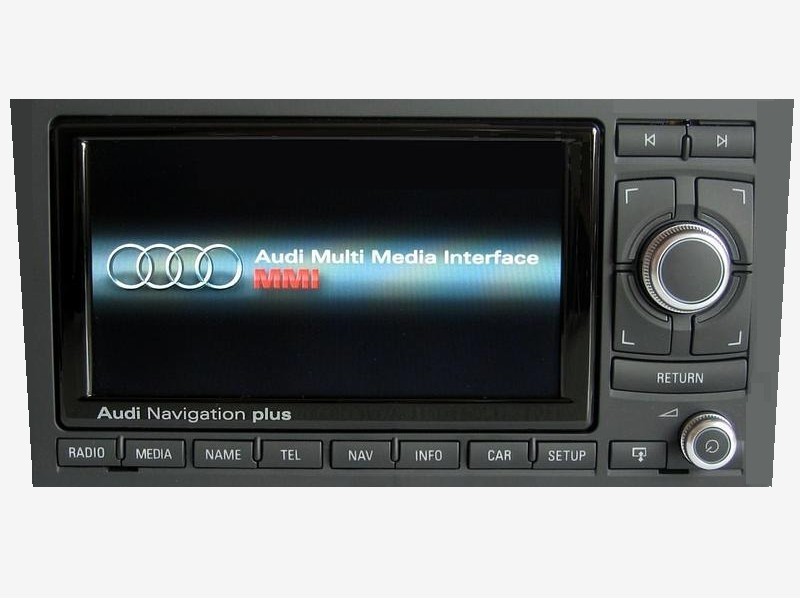
Restart the RNS-EAfter recoding or changing adaptation values on the RNS-E, it is often necessary to "reboot" it to have the changes take effect. To do so, press and hold the FM/AM (North America version) or Radio (Europe version) button and the Setup button simultaneously until the screen goes dark and the startup splash screen appears. |
||||